The identity layer

We set out to determine whether an identity layer for the web was even possible and if it was what that might look like and how it might work. We've built prototypes which we'd love for you to try.

eSDK + ID layer
The tools are a fully embedded SDK talking to an identity layer for the internet
200x cheaper
We've built around making a product which can be upto 200x cheaper than the way we do identity today
Proof of human
Standards compliance, robust patented biometrics, VC and DID tie all actions to specific humans all the time

Process

Getting started is easy and fast. Follow these steps using the tools listed below and please feedback.
01. Install The developer app

Available on the App and Play stores, the developer app is how you manage your identity and test the applications you're integrating.

02. Install the Admin binaries

The Admin App represents your Organisations Identity on the network. It is where you connect SDKs and manage internal users.

03. create your project and start building

Create your app in the Admin App and connect it to the project you want to integrate.

Our Tools

These tools enable you to build and test applications that leverage a true identity layer. They are in beta, there may be bugs, please let us know how you get on.

Developer App

User Identification
App containing our full suite of identity and credential verification features. Essential for working with all our tools.
Test and Development tools
Full ability to test against Sandbox and Production environments and to interact with your team around the integration and development process.
Admin App
1. Control your instance
The Admin App is what you use to deploy and manage an integration, it also represents your Org ID on the network. It can operate wherever you like.
2. Build integrations
App Integrations are controlled through the Admin App, link SDKs, create config and manage deployment.
3. Manage users
While Mobile Apps handle auth and credentials, the Admin App is used to manage which users have access to be able to develop or authorise for you.
Sandbox
Safe Testing
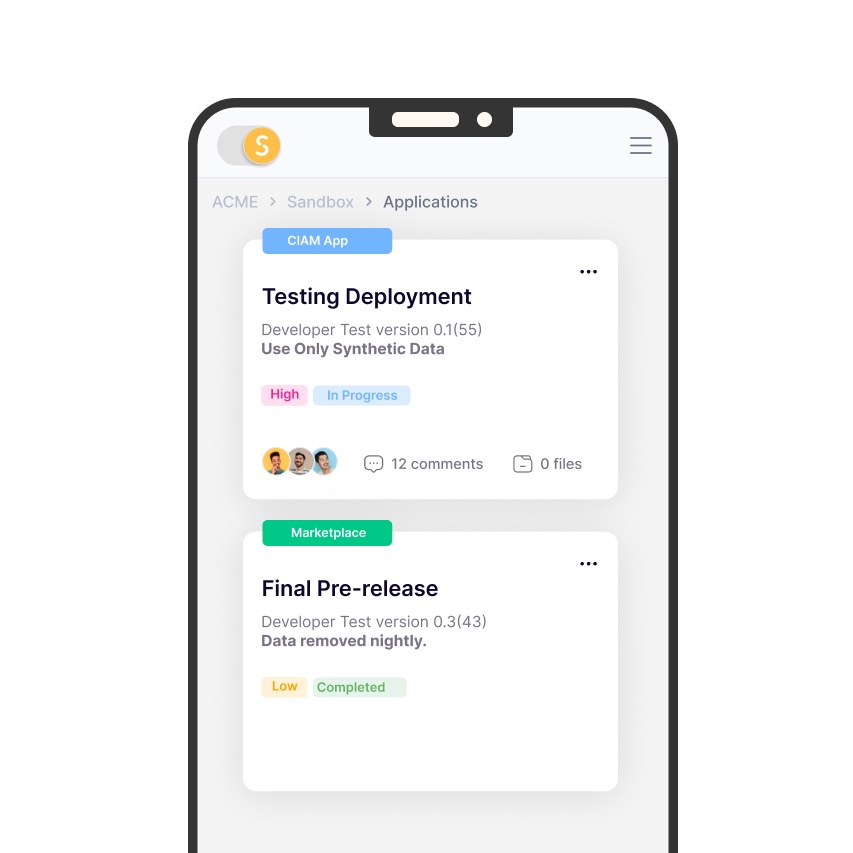
Test your integrations in a controlled environment using data from the Sandbox tool in the Developer App.
Faster Iteration
Develop integrations without concerns about production stability or conflicts, innovate and release on shorter cycles.
Realistic Simulation
Our Sandbox mimics production, including APIs, authentication flows to ensure your testing reflects a real world use case.

" We've separated the task of creating identity and credentials from their use. Users create themselves a non-correlatable identifier and collate their own credentials, Cryptography in the network gives relying parties a means to use and trust those identities. There is no more need for a user to have hundreds of identities based on their personal data, they can just rely on a single identity "

Dan Sutherland
Founder, Self Group

FAQ

What is an identity layer, and why do I need it?
It's a universal substrate which can be called by any enabled system which needs to access trusted identity material. Every action taken on it can be tied back to a human. It helps verify who your users are (identity) and control what they can access (authentication and authorisation). It saves development time, improves security, and can protect against and control AI agents.
How do I integrate what you've built into my application?
Follow the links to try now, or head to our documentation to be taken through the process of integration. It's simple and quick with plenty of examples and code snippets to help guide you.
How does the system handle security?
- End-to-end encrypted communication between devices uses Message Layer Security (MLS) end-to-end encrypted communication between devices.
- W3C Verifiable Credentials (VCs) allow users to securely assert and demonstrate claims about themselves and others.
- Identity is underpinned by a robust, tamper-evident and W3C Distributed Identifiers (DIDs) compliant Public Key Infrastructure (PKI) allowing for realtime management of keys and their revocations.
- Encryption uses a number of industry standard and accredited ciphers, signature schemes and cryptographic functions, such as Ed25519 (FIPS 186-5), SHA3 (FIPS 202), AES 256 (FIPS 197) and Curve25519.
- All actions are authenticated via signature, with real time key revocation to ensure you are always making up to date decisions.
- Keys are held securely in an on-device encrypted wallet.
- Usage of keys are always gated via biometric checks.
- Identity and verification is fully decentralised.
- User data is not stored centrally
Can I manage and customise user data?
Yes. You can store user profiles, roles, and custom fields with the user's permission. But the network is designed to protect you and users by replacing Personally Identifiable Information (PII) like names and emails with a non-correlatable identifiers, with the PII distributed to the user to store in their phone. It means your dataset is safer and potentially outside of regulation.
How does multi-factor authentication (MFA) work?
The entire concept is already a biometric MFA solution, so you don't need to integrate or pay for external methods like TOTP, SMS or push. You know natively that you're dealing with the correct human at all times.
What languages and frameworks are supported?
Self supports:
Backend: Golang, Java,
Mobile: iOS, Android

Quickstarts, examples including app examples for mobile and SDKs are provided for each.
Can I customise the login and sign-up experience?
Yes. We allow you to use your own UI and UX in all but a couple of screens. You can also use and customise UI elements we release as Open Source components.
What happens if the network goes down?
We've built this to be highly available and deployed it to global infrastructure, it has been designed to be resilient and reliable. You can also implement fallback strategies based on your needs. But currently it is a beta for evaluation and further iteration, so there may be outages and unexpected issues.